Record portrait and landscapeat the same time.
DualTake saves a vertical 9:16 video for TikTok, Reels and Shorts and a horizontal 16:9 video for YouTube from one take on your phone. Both save to your camera roll.


 Scan with your phone
to get the app
One take, two files.
Both clips below come from the same moment. One is tall for short-form feeds, one is wide for YouTube, and both land in Photos when you stop recording.
Built for the way creators post
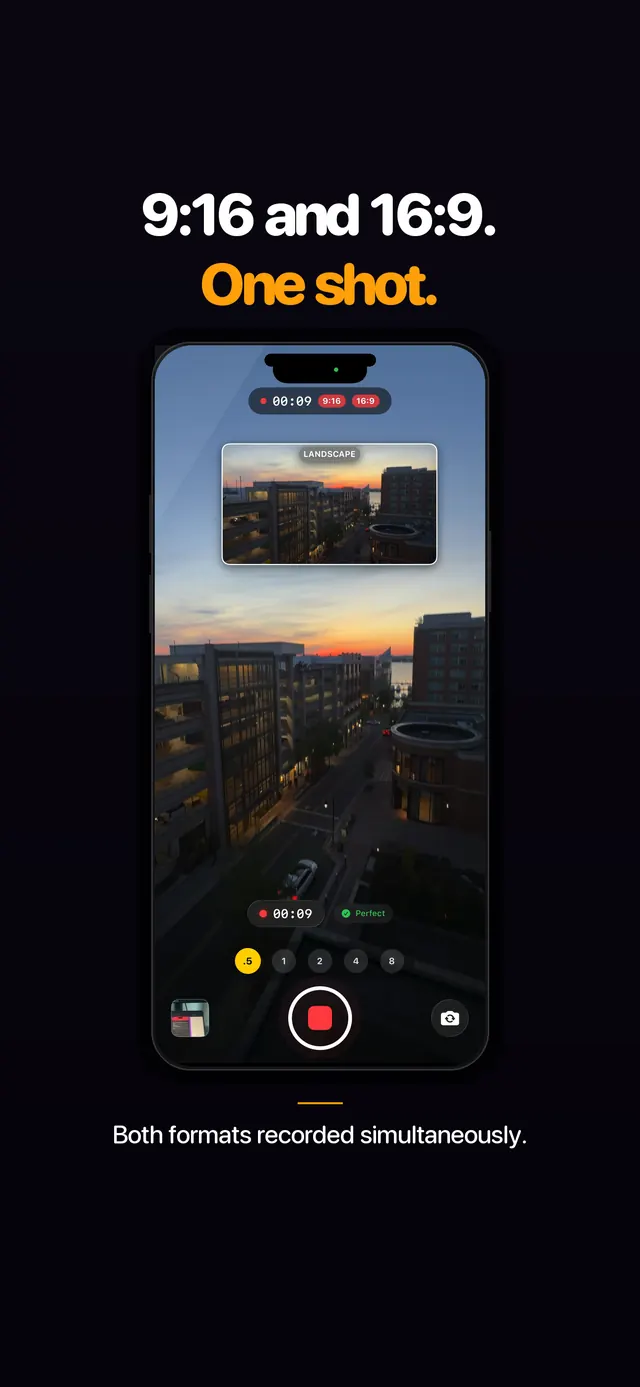
Both formats at once
The viewfinder shows your vertical frame with a LANDSCAPE inset, and the 9:16 and 16:9 badges tell you both files are recording.
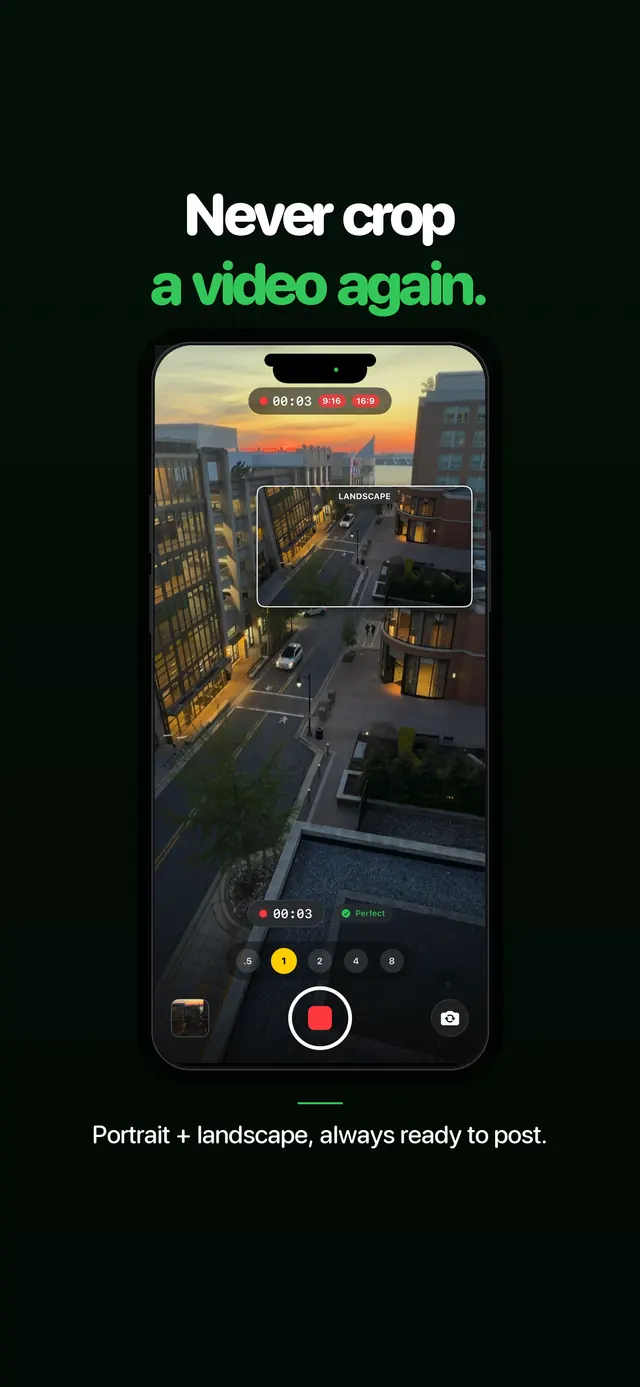
A guide for the wide file
The inset shows what the horizontal file keeps. It follows your face, and you can pan it yourself if you want a different crop.
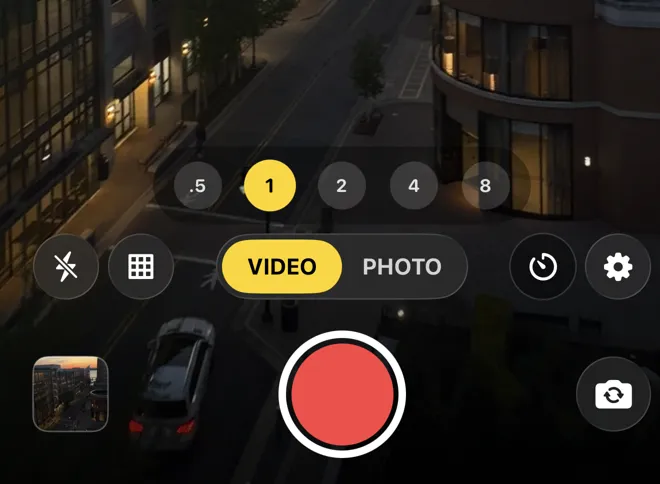
Camera controls under your thumb
Zoom from 0.5 to 8, flash, grid, a countdown timer and photo mode sit in one row above the shutter.
Teleprompter that stays out of the video
Paste a script and it scrolls next to the lens while you record. It is never saved into your video.
Saves to Photos, no account
Both files go straight to your Photos library. No sign-up, no ads.
Front or back camera
Film with the rear camera or flip to selfie, even in the middle of a take.
Free to start
Download it, record a take, and see both files before you pay anything.
Free
No account needed
- Both files from every take
- Takes up to 1 minute at 1080p
- Watermark on exports
- Front and back camera
Premium
$0.99 weekly, $2.99 monthly, $19.99 yearly or $39.99 once
- No time limit and no watermark
- 4K, HDR and pro codecs
- Full zoom and exposure controls
US prices from the App Store listing. Pricing compared with other apps.
What DualTake does
DualTake is an iPhone camera app that records one take and saves it twice: once as a vertical 9:16 video and once as a horizontal 16:9 video. You shoot once and skip the reframing. It uses one camera at a time, so it does not film the front and back lenses together. It runs on iOS 18.0 or later and needs no account.
It is an app, not a website, so there is no online version: you record on your phone. It is also not the DoubleTake app that records two cameras at once. Double Take app: which one do you mean? explains the difference.
It is free to download. Free takes run up to 1 minute at 1080p with a watermark. Premium removes both limits. Not sure how it compares? Read the alternatives or the full review, or see the download page for the App Store link and screenshots.
How it works
- Open the camera. Pick the front or back camera and frame the shot. A guide shows what the horizontal file will keep.
- Record once. Tap record. Use the built-in teleprompter if you read from a script; it never appears in the saved video.
- Post both files. Two videos land in Photos: vertical 9:16 for TikTok, Reels and Shorts, and horizontal 16:9 for YouTube.
Frequently asked questions
What does DualTake record?
One take with the front or back camera, saved as a 9:16 file and a 16:9 file in Photos.
Does it record front and back at once?
No. It uses one camera, and you can flip between them mid-take.
Is it free?
Free to download. Free exports carry a watermark and run up to 1 minute at 1080p.
How much is Premium?
$0.99 weekly, $2.99 monthly, $19.99 yearly or $39.99 lifetime.
Does the teleprompter show in the video?
No.
Which iOS version is needed?
iOS 18.0 or later.
Do I need an account?
No account and no ads.
What resolution does it support?
Up to 4K at 24, 30 or 60 fps on Premium, with HDR.
More answers on the full FAQ and the support page. Made by Block Browser Inc.

Record once. Post everywhere.
For iPhone with iOS 18 or later and Android 9 or later.
Scan with your phoneto get the app
Guides and comparisons
Plain answers about recording portrait and landscape on iPhone, with prices read from each App Store listing.